5. Publish it
5.1 Save a version and send it to GitHub
Publishing takes three commands. git add chooses what to save, git commit saves a version with a note, and git push sends it to GitHub. First, ask Git what has changed:
$ git status
On branch main

No commits yet

Untracked files:
  (use "git add <file>..." to include in what will be committed)
    index.html

nothing added to commit but untracked files present (use "git add" to track)
Your list will be longer, but it will have the same form. Files in red are changes that are not yet chosen. Now choose everything and save a version. The words in quotation marks are your note, so say what you did.
git add .
git commit -m "Add my details and first pages"
git push
The full stop after add means everything in this folder. Here is what the same steps printed for a small example with one file:
$ git add index.html
$ git commit -m "Add my first page"
[main (root-commit) cc3dbdc] Add my first page
 1 file changed, 1 insertion(+)
 create mode 100644 index.html

$ git push -u origin main
branch 'main' set up to track 'origin/main'.
To https://github.com/your-name/your-name.github.io.git
 * [new branch]      main -> main
The first time, a window will ask you to sign in to GitHub. Choose to sign in with your browser. If Git says Please tell me who you are, go back to the install chapter and run the two git config lines.
5.2 Switch on GitHub Pages
On your repository’s GitHub page, press Settings in the row of tabs near the top. In the list on the left, press Pages. Under Build and deployment, set Source to Deploy from a branch. Under Branch, choose main and the folder / (root), then press Save.
5.3 See it online
GitHub now needs a minute or two to publish. To watch, press the Actions tab of your repository, where a yellow dot means it is working and a green tick means it has finished. Then open https://your-name.github.io. If you see an error page, wait two minutes and refresh, because a new site takes a moment to appear.
Your site is now public, and anyone with the address can read it.
5.4 The routine from now on
Every later change follows the same few steps, and this is all you need day to day:
python build.py
git add .
git commit -m "Say what changed"
git push
Each commit is kept, so you can see every earlier version in the repository’s Commits page. Should you break something, the old version is still there.
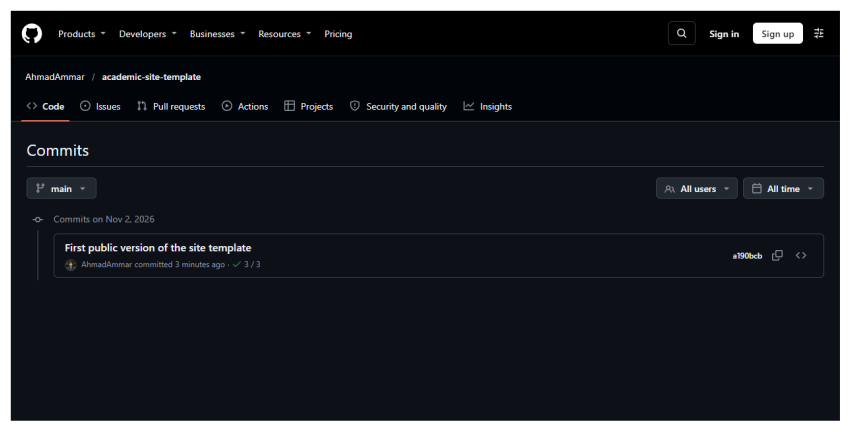
The list of saved versions on GitHub. Each entry shows its note and date, and can be opened to see exactly what changed.